
 Install
Foundation
The core workflow is live inside VS Code and tuned for fast local exploration.
- Streaming grid
- Schema browser
- Smart autocomplete
- Parameters + charts
DBeagle brings SQL exploration directly into VS Code. Connect to your databases, browse schemas, run queries, inspect results, and chart data in the same workspace where you already ship code.
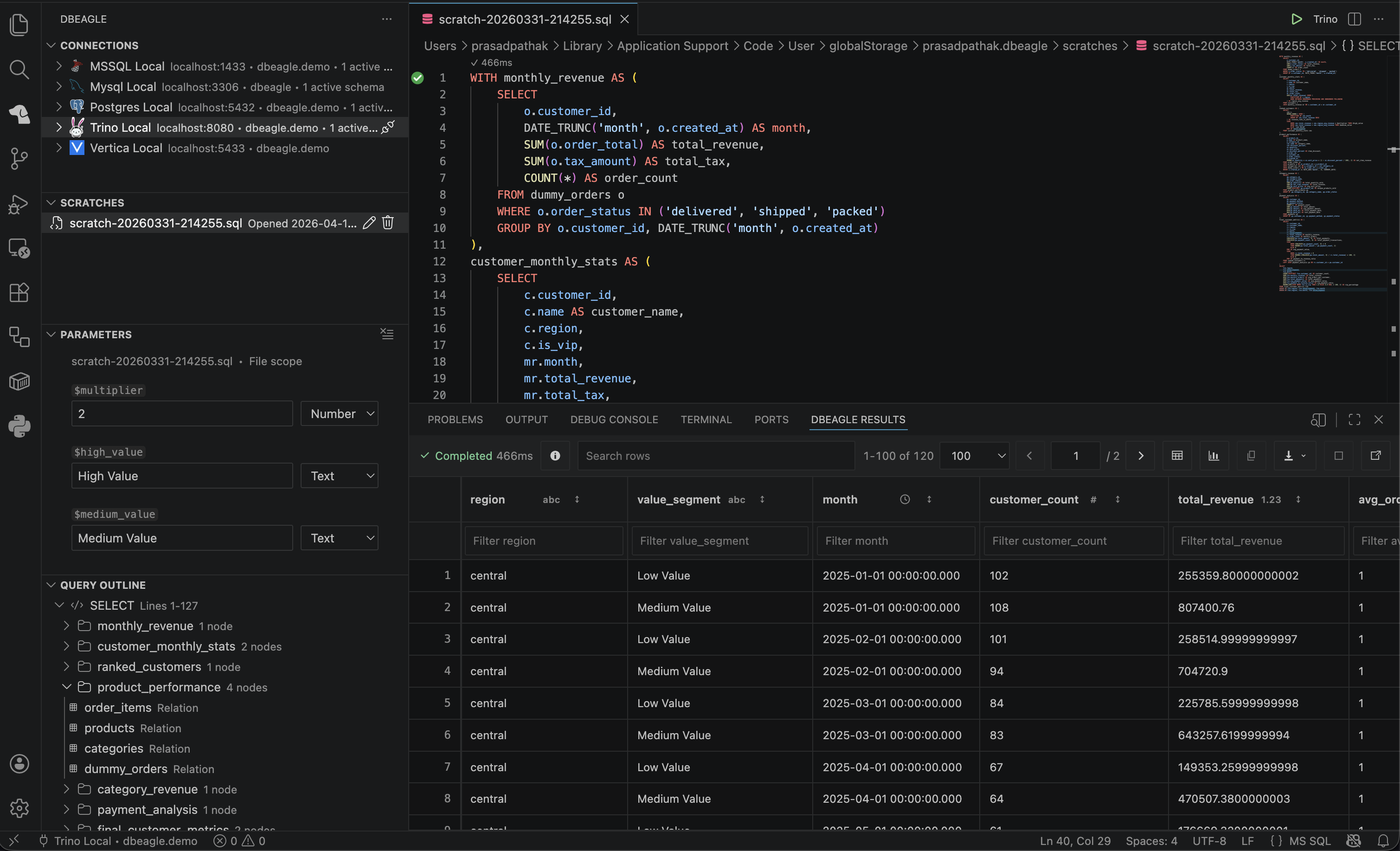
No separate app to switch to, no context lost. DBeagle lives where you already work — query, explore, and pair with AI tools without breaking your flow.
Enable read-only mode to block mutating SQL (INSERT, UPDATE, DELETE) before it reaches your database. Safe exploration, guaranteed.
One extension, five databases. Seamlessly switch between Trino, PostgreSQL, MySQL, SQL Server, and Vertica.
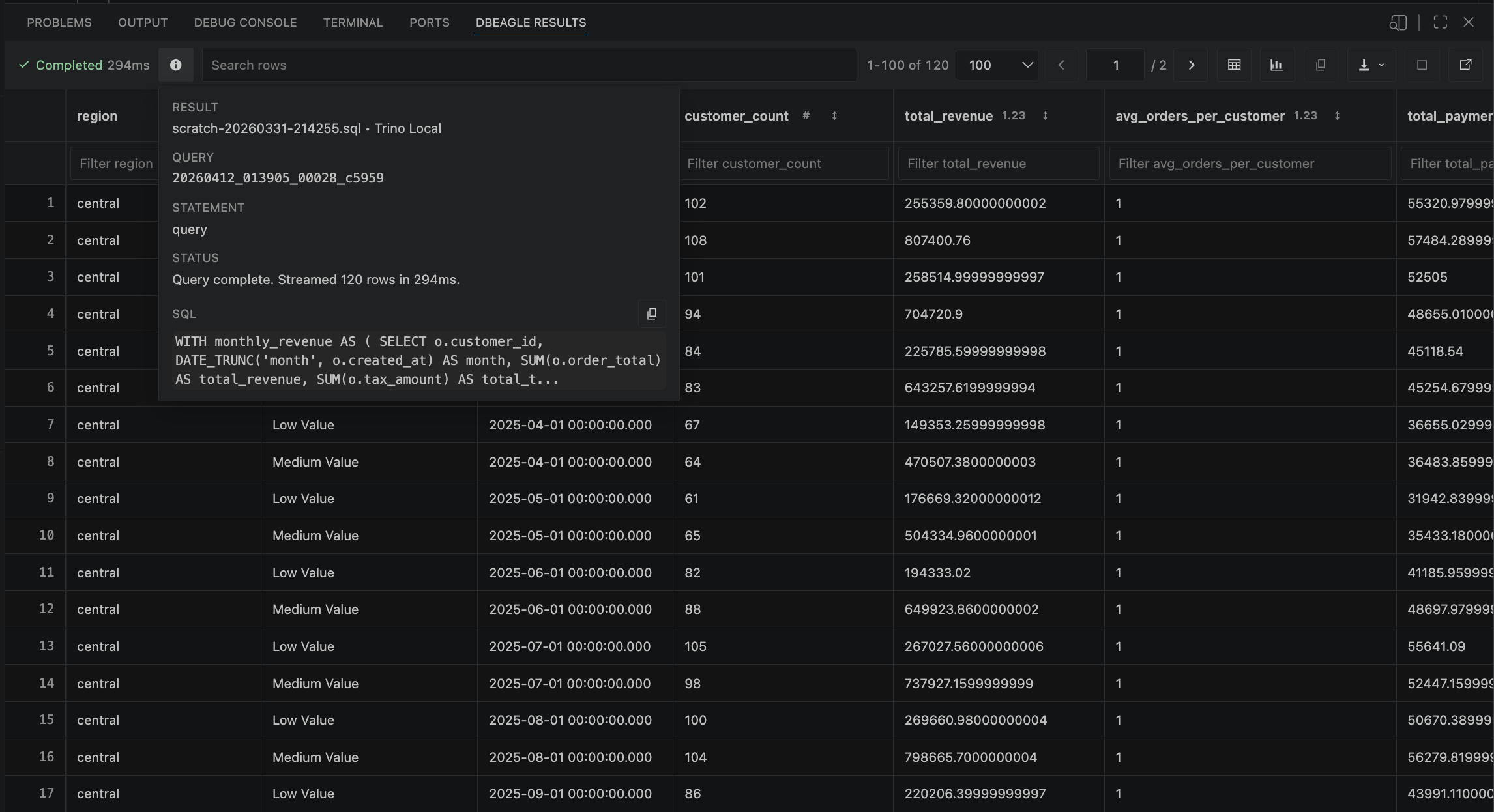
Browse millions of rows with instant search, filter, sort, and export to CSV or JSON without leaving VS Code.
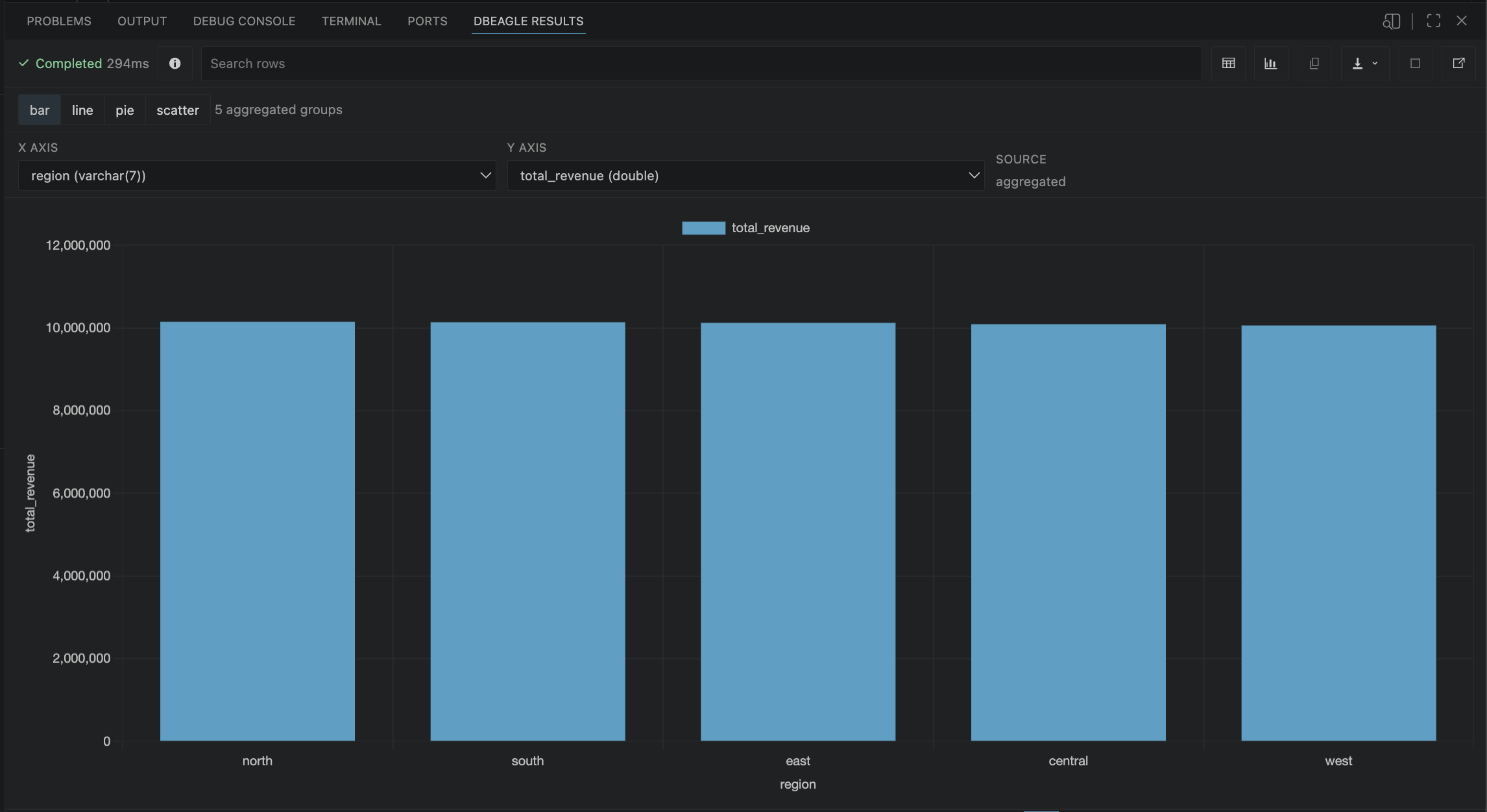
Transform query results into bar, line, pie, or scatter charts instantly. No data export required.
Built in Rust for snappy performance even with large result sets. Query faster, explore longer.
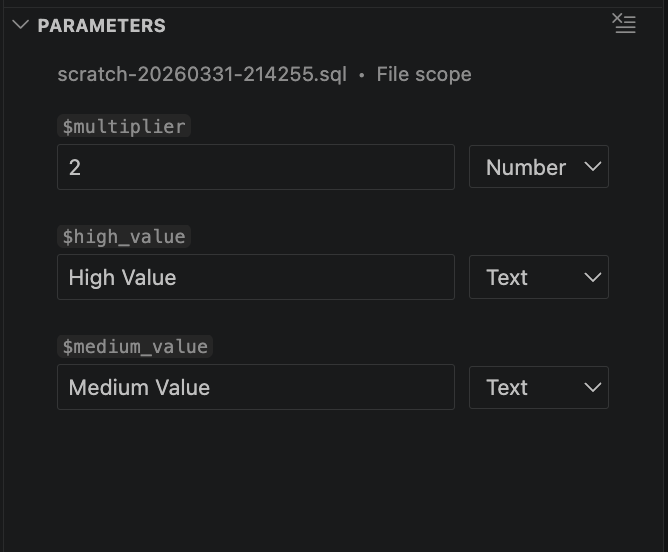
Define reusable SQL placeholders with $name syntax for faster, safer, and more maintainable queries.
Most database tools are built on languages that add overhead. DBeagle is built in Rust — the same language powering Firefox, Dropbox, and Discord's performance. That means sub-millisecond query execution, instant result streaming, and zero UI freezes even when you're dealing with millions of rows.
One extension, five powerful databases. DBeagle handles each with optimized drivers and native performance.
 Trino
Trino  PostgreSQL
  MySQL
MySQL  SQL Server
  Vertica
 More databases coming soon
Install, connect, query, and inspect the result without breaking your editor workflow.
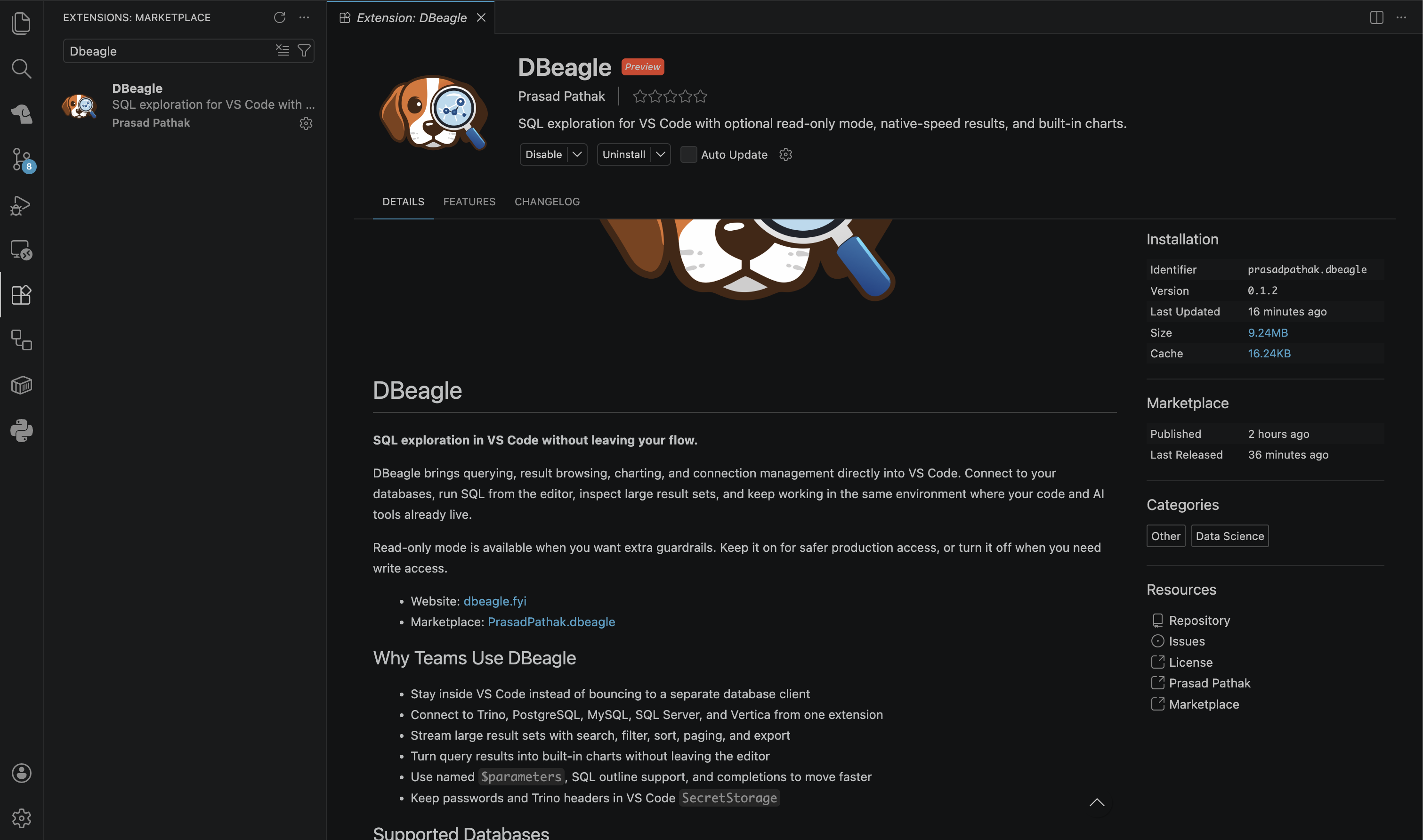
Find DBeagle in the Extensions view, install it, and open the Activity Bar icon to get started.
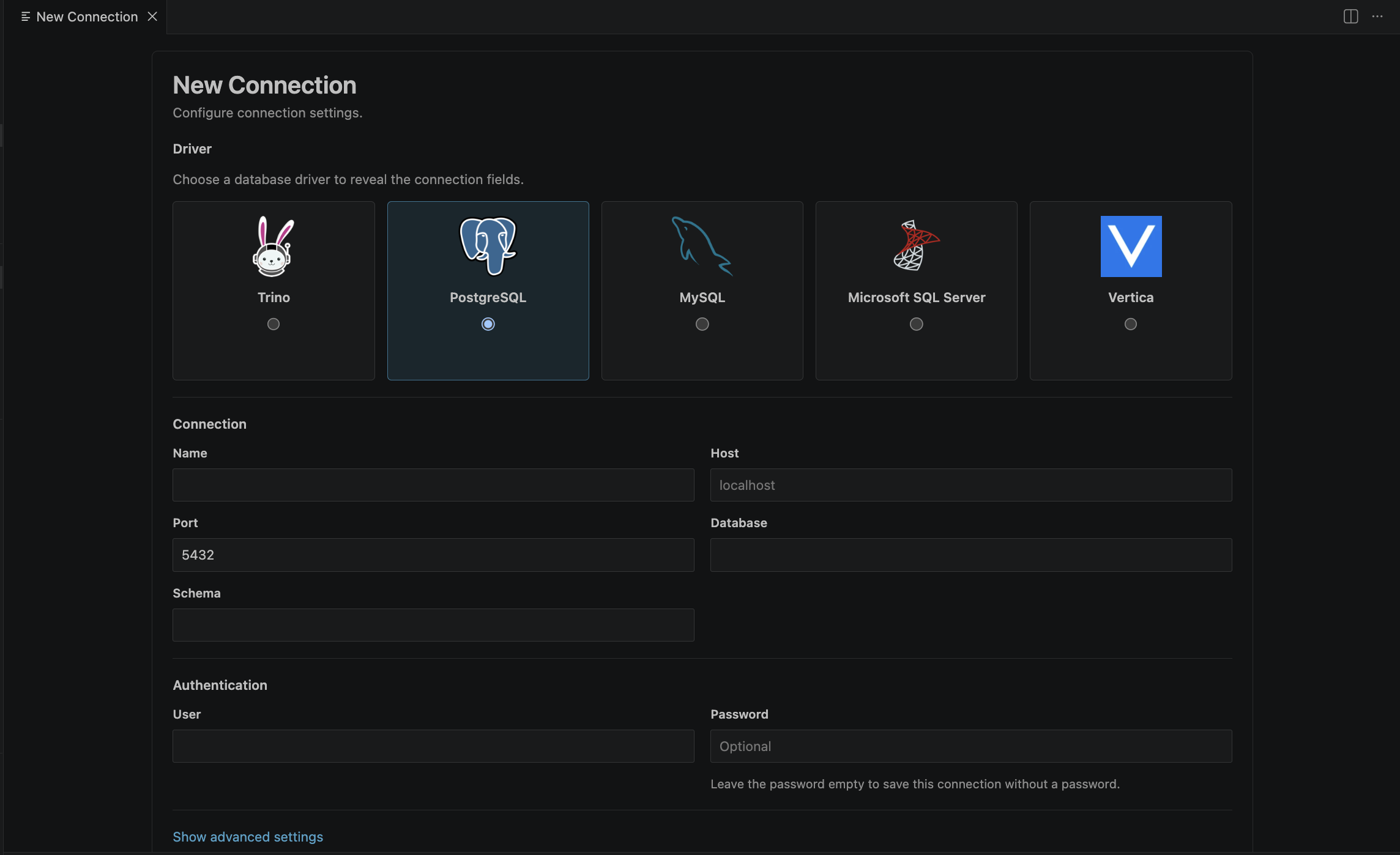
Use the connection form to choose a driver, enter your host, database context, credentials, and verify the connection before saving.
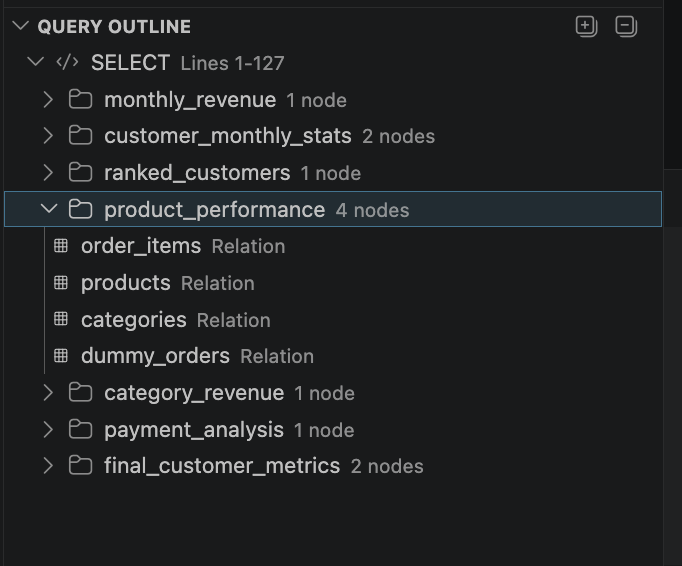
Use the query outline and editor-native workflow to stay oriented while writing and navigating larger SQL files.
When DBeagle sees `$parameters` in your file or selection, it surfaces typed inputs so you can rerun reusable queries quickly.
Browse streamed results with search, filters, paging, copy, export, and detaching into their own editor tab.
Move from grid view to chart view inside the same result session and export polished PNGs when you need to share the output.
Most database tools pull you out of VS Code. DBeagle keeps you in it — where your code lives, where your AI tools live, where your workflow actually happens.
| Feature |  DBeagle DBeagle | Other VS Code Extensions |
|---|---|---|
| Read-only mode | ✓ | ✗ |
| Built-in charting | ✓ | ✗ |
| Rust-powered performance | ✓ | ✗ |
| Streamed results (millions of rows) | ✓ | ◐ |
| Parameterized queries | ✓ | ◐ |
| Query outline | ✓ | ✗ |
| Scratches | ✓ | ✗ |
Ready to experience SQL exploration reimagined?
Install DBeagle FreeA clearer path from fast local querying to agent-native database workflows.
The core workflow is live inside VS Code and tuned for fast local exploration.
DBeagle becomes an agent-ready context layer with tools that understand your database.
Higher-level workflows help explain queries, search metadata, and coordinate multi-step work.