SQL Scratch Files
SQL Scratch Files
Scratch files are SQL files managed by DBeagle outside your current repository.
They are useful for:
- Ad-hoc investigation
- Query drafting before you copy something into your project
- Reusable personal snippets
- Cross-project SQL that should not live in one codebase
How to create a scratch
Use either:
- The
New Scratchaction in theScratchesview - The
DBeagle: New Scratchcommand from the Command Palette
How scratches are stored
Scratches live in DBeagle’s VS Code global storage area, not inside the folder you currently have open.
That means:
- They are outside your git diff by default
- They stay available across workspaces
- You can reveal the actual folder from the
Reveal Scratch Folderaction
Managing scratches
From the Scratches view you can:
- Open a scratch
- Rename a scratch
- Delete a scratch
- Reveal the scratch folder in your OS file browser
Running SQL from scratches
Scratch files support the same DBeagle workflow as regular SQL files:
- Run Query
- Parameters
- Autocomplete
- Query Outline
- Result grid and charts
Shortcuts
DBeagle does not currently ship a default keyboard shortcut for scratch creation. If you want one, add it through VS Code Keyboard Shortcuts by searching for dbeagle.
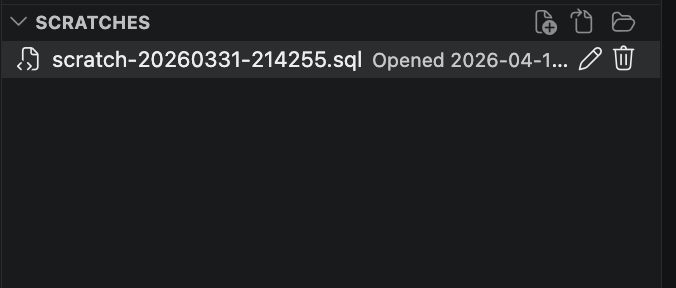
Scratch SQL files managed outside the current repository.